

Introduction
For years, businesses have had a relatively simple choice when deploying websites and applications:
Buy hosting from a provider and put everything there.
That model is convenient, but it isn’t always the best architecture.
Modern applications increasingly involve databases, APIs, customer information, AI services, internal tools, backups, media files and business-critical systems. Putting everything into one hosting environment can create unnecessary dependency on a single provider.
This is where hybrid hosting becomes interesting.
Instead of keeping everything in one location, you can combine:
Your own infrastructure + cloud infrastructure + edge services
to create a more flexible architecture.
And the good news is that you can actually practice this architecture without spending money, using free tiers and local infrastructure.
This guide explains how.
What Is Hybrid Hosting?
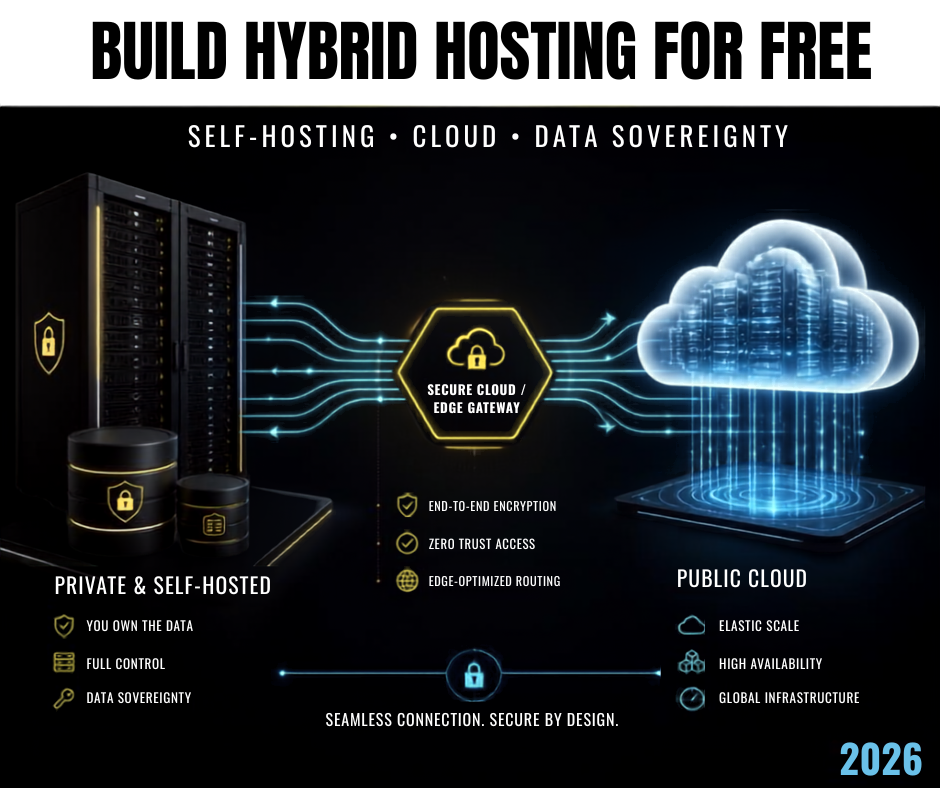
Hybrid hosting is an architecture where an application uses more than one hosting environment, typically combining private or self-managed infrastructure with public cloud services.
For example:
                 INTERNET
                    │
                    ▼
              Cloudflare
                    │
             ┌──────┴──────┐
             │             │
             ▼             ▼
        Cloud Server   Your Server
             │             │
             ▼             ▼
          API/App      Database
You could have:
- frontend hosted in the cloud
- API running on a VPS
- database on your own server
- backups stored separately
- Cloudflare handling DNS and edge security
That is a simple example of a hybrid architecture.
Why Are Businesses Moving Toward Hybrid Infrastructure?
There are several reasons.
1. Greater Control
When everything is hosted by someone else, your infrastructure is largely controlled by that provider.
With self-hosting, you control the underlying server.
This doesn’t automatically make your system more secure, but it gives you greater control over configuration, software, access and data location.
2. Reduced Vendor Dependency
Imagine your entire business depends on one hosting company.
If the provider:
- changes pricing
- changes its policies
- experiences an outage
- restricts your account
- changes available services
your business could be affected.
A hybrid architecture can reduce some of that dependency.
3. Better Data Control
This is where data sovereignty becomes important.
Data sovereignty is essentially about maintaining appropriate control over where data is stored, processed and governed.
Importantly, sovereignty isn’t simply:
“My server is physically located in my country.”
Jurisdiction, corporate control, legal obligations, access policies and operational control can also matter. The CNCF recently highlighted this distinction between geographic location and jurisdictional sovereignty. (CNCF)
What Is Sovereign Data?
Consider a business collecting:
- customer information
- payment records
- employee information
- business documents
- medical information
- educational records
- government data
The organization may have requirements concerning where that information is stored and who can access it.
This is why data sovereignty is becoming an increasingly important infrastructure discussion.
The European Commission, for example, introduced a Cloud Sovereignty Framework that evaluates sovereignty across areas including legal/jurisdictional control, data and AI, security, technology and supply chain considerations. (European Commission)
Hybrid Hosting vs Traditional Hosting
Traditional hosting
Website
   │
   ▼
One Hosting Provider
   │
   ├── Website
   ├── Database
   ├── Files
   └── Backups
Hybrid hosting
                    Users
                      │
                      ▼
                  Cloudflare
                      │
             ┌────────┴────────┐
             │                 │
             ▼                 ▼
       Cloud Application    Private Server
             │                 │
             ▼                 ▼
        Public Services    Sensitive Data
             │                 │
             └────────┬────────┘
                      ▼
                   Backup
The second architecture gives you more flexibility.
Can You Practice Hybrid Hosting for Free?
Yes—but with an important distinction.
You can build a realistic learning and proof-of-concept environment at little or no cost using free tiers and equipment you already own.
It should not automatically be considered production-grade infrastructure.
For example, Google Cloud currently offers free monthly usage for selected products, including an eligible Compute Engine instance, while Oracle Cloud offers Always Free resources including compute and other infrastructure components. (Google Cloud)
You can also use your own laptop or desktop as a private server for learning.
The Free Hybrid Hosting Lab
Here’s the architecture I recommend for an AfTech Digital tutorial:
                 INTERNET
                    │
                    ▼
              Cloudflare
                    │
          ┌─────────┴─────────┐
          │                   │
          ▼                   ▼
     Free Cloud VPS      Home/Local Server
          │                   │
          ▼                   ▼
      Web/API App          Database
          │                   │
          └─────────┬─────────┘
                    ▼
                 Backups
You can build this using:
Cloud
- Oracle Cloud Free Tier
- Google Cloud free tier
Local
- Old laptop
- Desktop computer
- Raspberry Pi
- Virtual machine
Networking
- Cloudflare Tunnel
Software
- Linux
- Docker
- Nginx
- MySQL/MariaDB
- PostgreSQL
- Git
This is an excellent project for anyone learning DevOps, cloud computing, networking or cybersecurity.
Step 1: Create Your Local Server
You don’t need an expensive server.
An old computer can become a development server.
Install a Linux distribution such as Ubuntu Server.
Then install:
- Docker
- Docker Compose
- Git
- Nginx
Your local machine could run:
Database
Internal API
Private dashboard
Development applications
Internal tools
Step 2: Create a Free Cloud Server
You can use an eligible free-tier cloud instance for the public-facing portion of your application.
Oracle currently provides Always Free resources, while Google Cloud provides selected free monthly resources. Availability and eligibility can vary by account, region and service, so always check the current provider terms before relying on a free tier. (Oracle Documentation)
For example:
Cloud VPS
   │
   ├── Nginx
   ├── Docker
   ├── Web application
   └── API gateway
Step 3: Keep Sensitive Data Separate
Here’s where the hybrid architecture becomes interesting.
Instead of placing everything on your public server, you could keep sensitive information on a separate private server.
For example:
Public Cloud

Frontend
   │
   ▼
API
   │
   │ Secure connection
   ▼
Private Server

Database
Customer records
Internal data
Backups
This creates separation between your public application layer and your sensitive data layer.
Step 4: Use Cloudflare Tunnel
One of the easiest ways to experiment with this architecture is Cloudflare Tunnel.
Cloudflare’s documentation describes Tunnel as a way to publish an application through Cloudflare without requiring you to expose the origin server directly to the public Internet. (Cloudflare Docs)
For development, Cloudflare also provides Quick Tunnels.
You can run:
cloudflared tunnel --url http://localhost:8080and receive a temporary public URL.
Cloudflare explicitly says Quick Tunnels are intended for development and testing rather than production. (Cloudflare Docs)
Step 5: Put the Pieces Together
Your experimental architecture can now look like:
                   USERS
                     │
                     ▼
                 CLOUDFLARE
                     │
                     ▼
              CLOUD APPLICATION
                     │
                Secure Link
                     │
                     ▼
               PRIVATE SERVER
                     │
                     ▼
                  DATABASE
                     │
                     ▼
                  BACKUPS
Congratulations.
You now have a basic hybrid hosting laboratory.
Step 6: Add Docker
Docker makes this experiment much easier.
Instead of manually installing every component, you can run services in containers.
For example:
Docker
│
├── Nginx
├── PHP
├── MySQL
├── Redis
└── Application
You can also move containers between environments more easily.
This is one of the reasons Docker is extremely useful when learning modern infrastructure.
Step 7: Add Backups
A hybrid architecture without backups is incomplete.
You could have:
Primary Database
       │
       ├──── Backup 1 → Cloud Storage
       │
       └──── Backup 2 → Local Storage
The objective is to avoid having a single copy of important information.
Step 8: Add Monitoring
Once your infrastructure works, start monitoring:
- CPU usage
- RAM
- Disk space
- Network traffic
- Application errors
- Database health
- Server uptime
This is where the project starts becoming a genuine DevOps laboratory rather than simply a hosting experiment.
What Should You Keep Locally?
Not every workload should be moved to your private server.
A sensible hybrid strategy might be:
Public cloud
- Website
- CDN
- Public API
- Static assets
- Public application services
Private infrastructure
- Sensitive database
- Internal applications
- Development environments
- Private documents
- Internal administration
Separate backup
- Database backups
- Configuration backups
- Important files
The exact design should depend on security, compliance, performance and operational requirements.
Is Hybrid Hosting Completely Free?
Not necessarily.
This is important.
You can learn and prototype hybrid hosting for free, but running a reliable production environment has costs.
You may eventually need:
- Domain name
- Electricity
- Internet connection
- Backup storage
- Hardware
- Monitoring
- Cloud resources
- Security tools
- Professional support
Free tiers also have limits and can change.
Therefore:
Free hybrid hosting is excellent for learning and experimentation—not a promise of unlimited free production infrastructure.
A Practical Project You Can Build
If you’re learning cloud computing, try this project:
Project: Free Hybrid Web Application
Build a simple PHP or Node.js application.
Cloud server
Run:
Nginx
Application
API
Local server
Run:
MySQL
Private API
Backup system
Cloudflare
Handle:
DNS
Tunnel
HTTPS
Edge protection
GitHub
Store:
Source code
Configuration templates
Documentation
Your final architecture:
                INTERNET
                   │
                   ▼
              CLOUDFLARE
                   │
                   ▼
             CLOUD SERVER
                   │
              Web + API
                   │
             Secure Tunnel
                   │
                   ▼
             LOCAL SERVER
                   │
              MySQL Database
                   │
                   ▼
                BACKUPS
That is an excellent portfolio project.
Why This Matters for African Developers
Hybrid infrastructure is particularly interesting for developers and businesses operating in regions where connectivity, hosting costs, international dependencies and data governance can present practical challenges.
Instead of assuming:
“Everything must live in the cloud.”
developers can begin thinking in terms of:
What should be public?
What should remain private?
What should be replicated?
Where should sensitive data live?
What happens if the cloud provider becomes unavailable?
These are infrastructure questions that go far beyond simply choosing a hosting package.
Hybrid Hosting Is Not Automatically More Secure
This is another important warning.
Adding more infrastructure does not automatically make your system safer.
A poorly configured hybrid environment can actually increase your attack surface.
You must properly manage:
- Authentication
- SSH access
- Firewall rules
- Encryption
- Secrets
- API permissions
- Database access
- Backups
- Updates
- Monitoring
Hybrid architecture should be designed around risk, not complexity.
The Future of Web Hosting
The future probably isn’t going to be:
Cloud vs Self-Hosting
Instead, many organizations will use a combination of:
Cloud + Edge + Private Infrastructure + AI + Automation
The question will become:
Where should each workload run?
That is a much more sophisticated question than simply asking:
“Which hosting company is cheapest?”
Final Thoughts
Hybrid hosting gives developers a different way to think about infrastructure.
Instead of placing your website, database, files and business data inside one hosting environment, you can deliberately distribute workloads according to their requirements.
And you don’t need an enterprise budget to learn the fundamentals.
You can start with:
An old computer + Linux + Docker + a free cloud tier + Cloudflare Tunnel.
From there, you can gradually learn:
Linux → Networking → Docker → Cloud → Security → DevOps → Hybrid Infrastructure → Data Sovereignty
That journey can turn a simple web-development project into a serious cloud and infrastructure portfolio project.
The key lesson:
Don’t ask only where your website is hosted. Ask where your data lives, who controls it, how it reaches your users, and what happens if one part of your infrastructure fails.
That is the mindset behind modern hybrid infrastructure.
.


Hi, this is a comment.
To get started with moderating, editing, and deleting comments, please visit the Comments screen in the dashboard.
Commenter avatars come from Gravatar.